Can You Trust AI to Answer for Your Business?
 Breezy Team ·Oct 4, 2026 ·5 MIN READ
TL;DR: Breezy AI Search lets you decide how closely answers follow your website content, supply your own wording for the questions that matter most, choose which pages appear, and trace every answer back to its source links, before and after launch.
A visitor asks your website: “Can I cancel at any time?” Your policy requires a month’s notice. If the AI leaves that out, your team may have to explain why the answer was wrong.
That concern deserves an answer before you put AI on your website. Visitors will treat its replies as information from your business.
Breezy AI Search lets you control which content it uses and how it answers. You can also supply your own wording for particular questions. Here is how to set it up and check the results.
Start with an answer you can check
Breezy uses relevant content from your indexed website to compose its answers. Source links let visitors open the page behind a response and read the details for themselves.
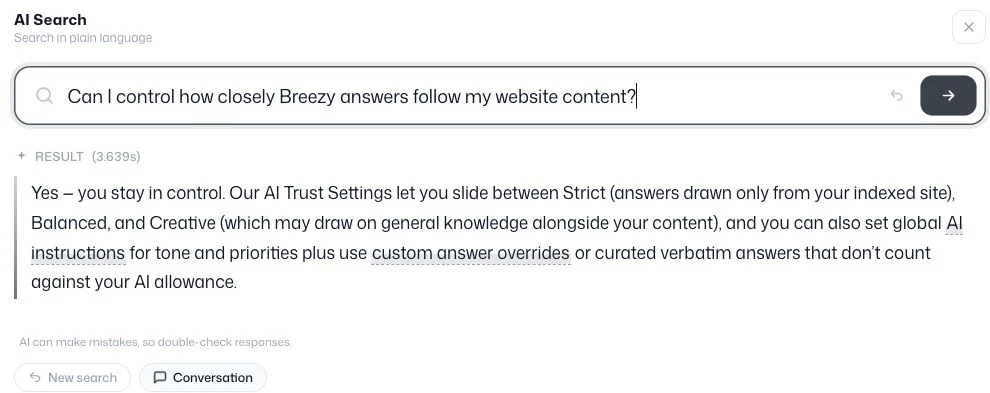
Open those links when you test. Does the page support the answer? Has an important condition been left out? A source link lets you check a response against the page it came from.
Read How AI Search Works for more about the process.
Decide how closely answers should follow your content
Open Search → Curation → AI Trust Settings to choose how much freedom the AI has beyond your published content. The slider runs from Site-only to Conversational, with three settings along it: Strict, Balanced and Creative.
Strict is a sensible starting point for business questions. It tells the AI to use your indexed content and decline questions that the retrieved material does not cover. Balanced allows a brief general point alongside your content. Creative gives it more freedom to use general knowledge.
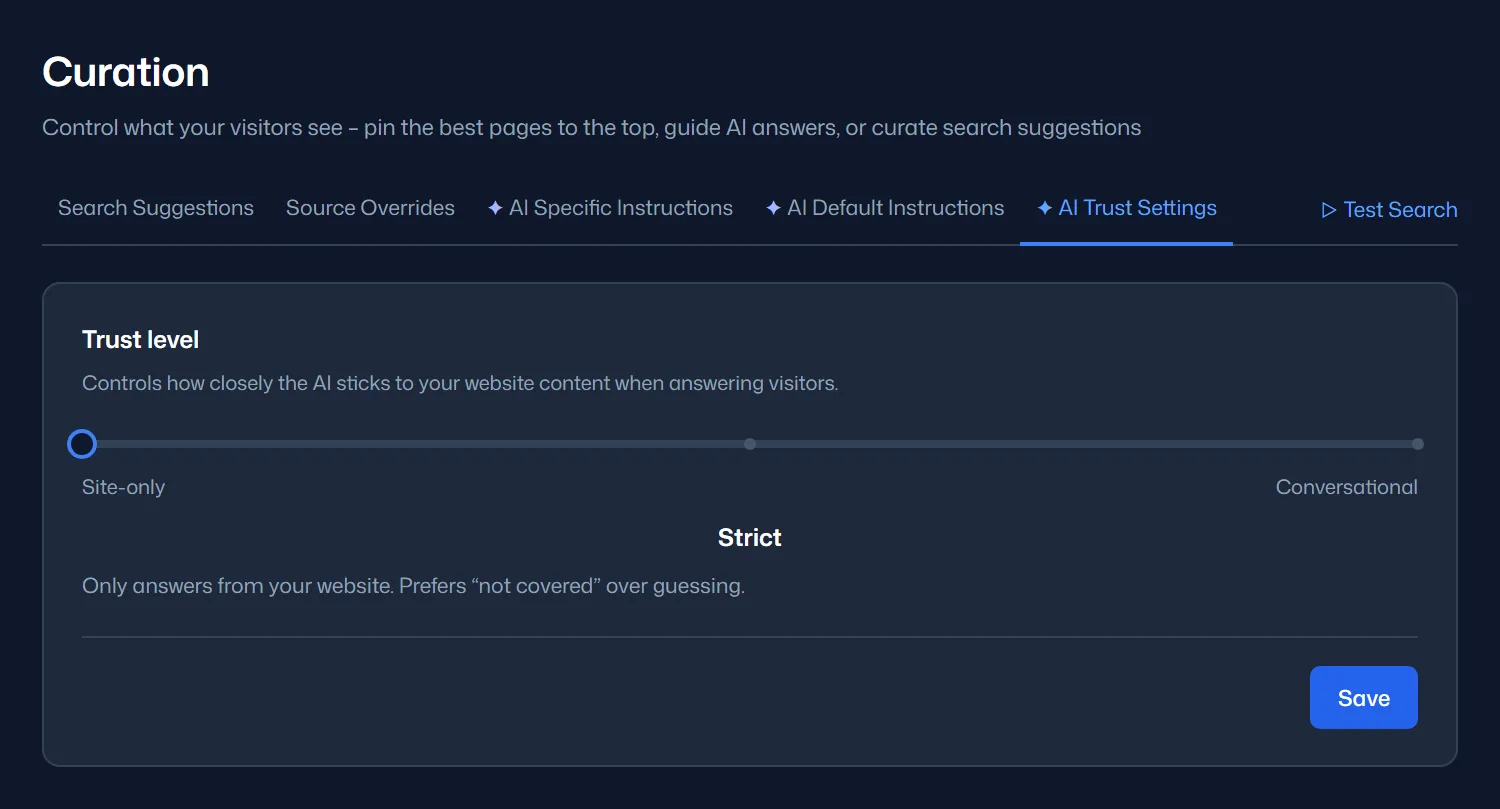
Clear website content gives these settings more to work with. Publish your cancellation terms and search can explain them. When the site does not cover a question, an honest “I don’t know” is better than a guess.
Brief the AI as you would brief a colleague
AI Default Instructions applies guidance across answers. Use it to set your tone and preferred terminology. You can also explain what the AI should do when someone needs help beyond your published information.
A service business could ask the AI to direct quote requests to its contact page. Visitors would get a useful next step without receiving an invented price.
Be specific. “Sound professional” is open to interpretation. “Keep the first answer to four sentences” gives you something you can check. Clear instructions work best alongside clear website content.
Use your own wording when the exact answer matters
Some answers need wording your team has already checked. AI Specific Instructions lets you guide the response to a particular query. Choose Verbatim text to supply the answer itself. These overrides match by meaning and take priority over default instructions.
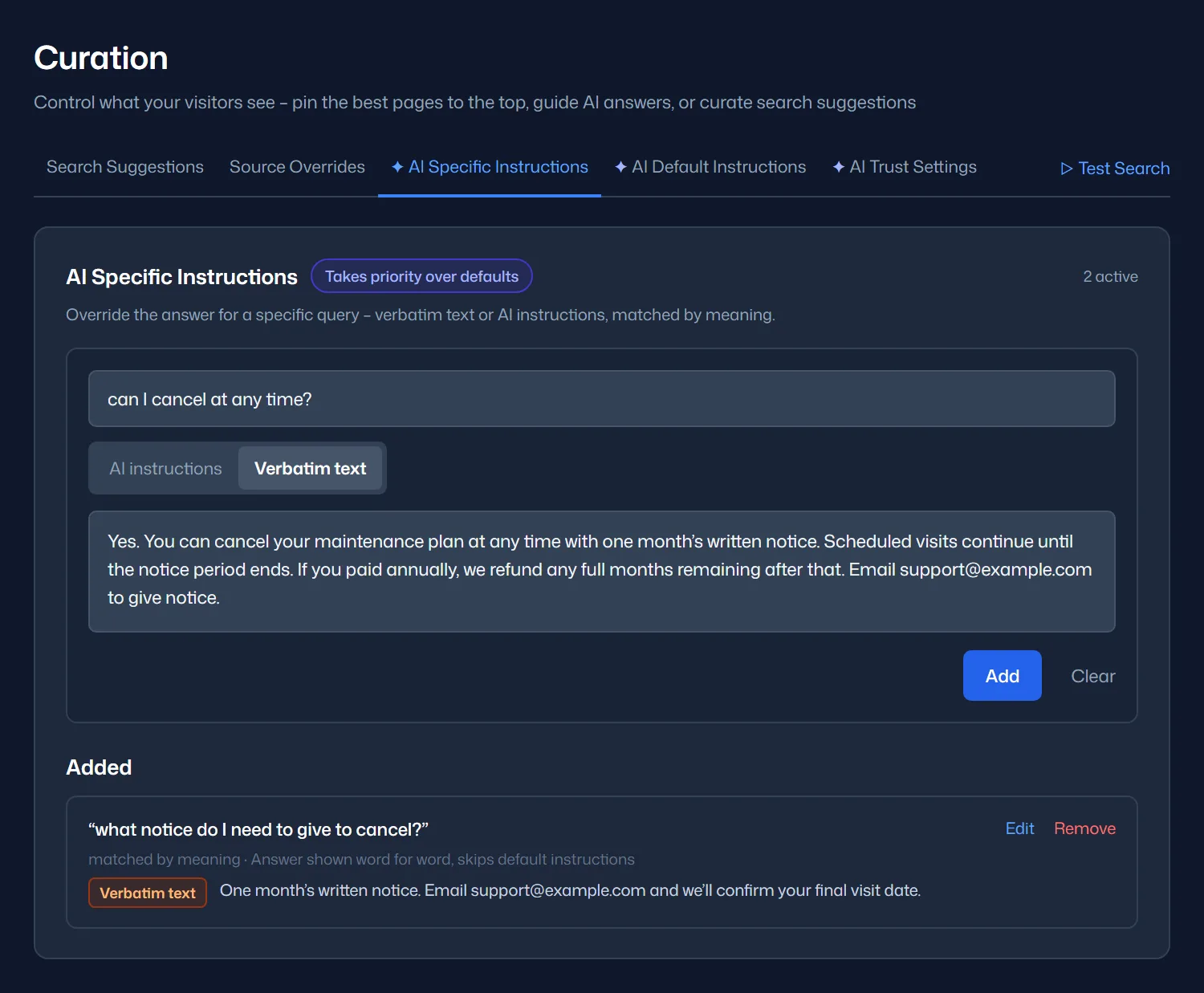
For the cancellation question, you could write a response that includes the notice period and any exceptions. A verbatim answer returns that wording when the override matches.
Try a few versions of the question. “How do I cancel?” and “What notice do I need to give?” should each receive an appropriate answer. Review the override whenever the policy changes.
Keep the right pages in view
An old offer may still be on your website after a new one replaces it. Decide whether the old page belongs in search at all or simply needs to rank lower for a particular question.
Source Overrides lets you pin a page to the top of results for a query. You can also demote or hide it. This is useful when an older article appears ahead of the current service page. It changes the ranking rather than the wording of the answer.
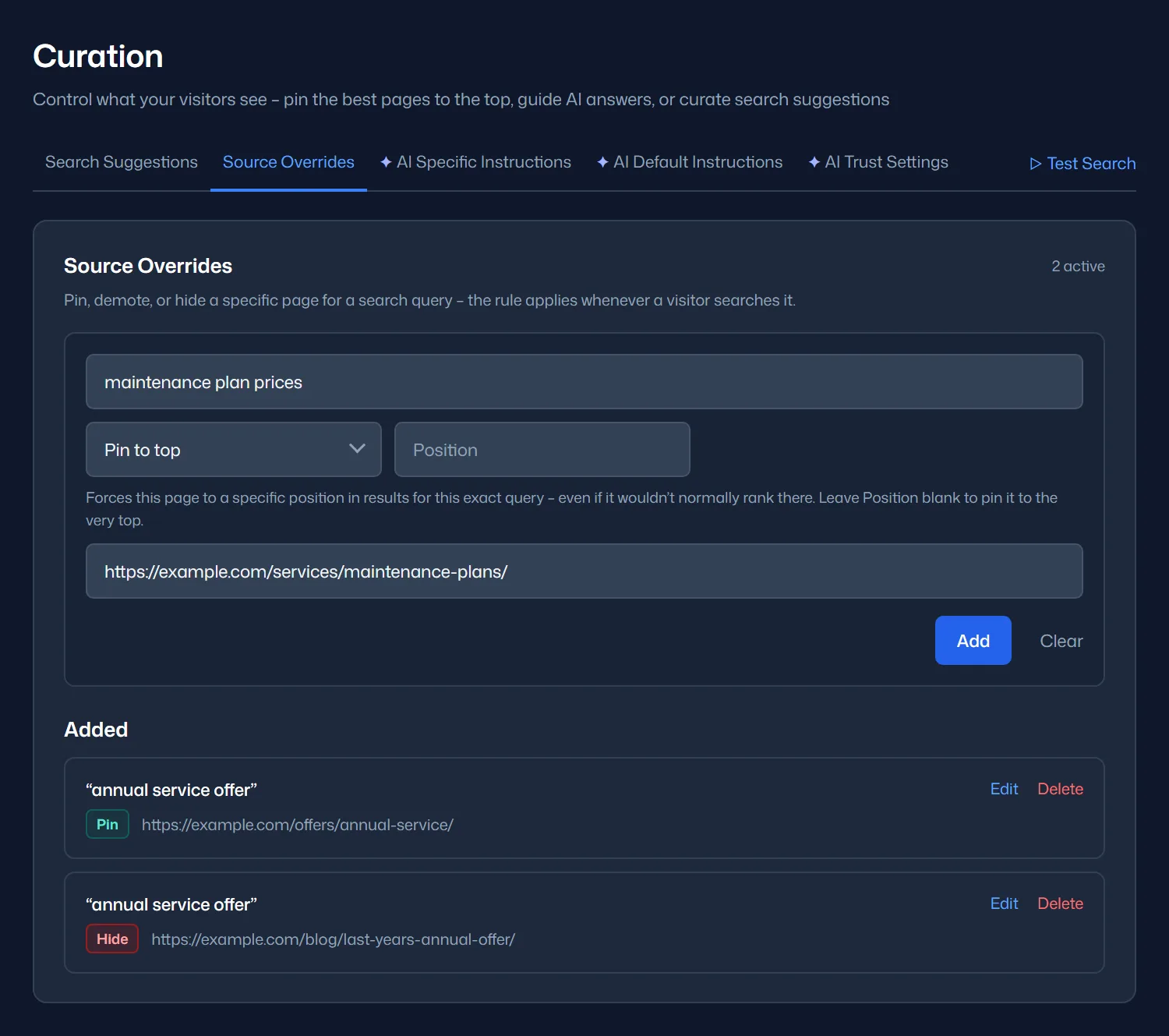
To leave a page out of search altogether, hide it on the Hidden tab under Search → Pages. This removes the page from the index and keeps future crawls from adding it back. The page remains on your website. Exclusion does not make public content private.
Keep answers current when your business changes
A website edit may not appear in search straight away. Breezy re-scans your site on a schedule, and Discover Now under Search → Pages indexes a changed page straight away. The schedules and allowances depend on your plan.
After an important update, use Discover Now on the revised page and ask the relevant question again. Update any verbatim answer separately so it agrees with the revised page.
Test the questions that matter before launch
Test a few questions your customers are likely to ask. Include some that could expose a problem:
- A common service question whose answer is clearly published.
- A pricing or policy question with an important condition.
- A question about something you have recently changed.
- A question your website does not answer.
- An everyday rephrasing or follow-up to one of those questions.
Compare each response with its source. Pay attention to conditions that could change the meaning. If an answer is wrong, check the page first. Then look at its index status and any curation rules. Test again after the fix.
After launch, review Queries and Content Gaps to see what visitors ask and which searches return no results. Check some answered questions too. An “answered” count does not tell you whether the reply was useful.
Build confidence on your own website
Your team should be comfortable with the answers visitors receive. Breezy gives you ways to shape those answers and trace them back to your content.
Choose the scope that suits your business and try a few important questions. Compare the replies with what your team would say. That gives you a practical basis for deciding whether to subscribe.
Start your 14-day free trial and test Breezy against your five most important customer questions. No credit card required.